Introduction
Normally, making a 3D model from multiple photos (multi-view stereo, or MVS) means you need to know your camera’s exact settings — focal length, angles, even lens distortion. Collecting that information is slow and technical.
DUSt3R changes that.
It’s a new AI method that turns one or more images into a 3D model without needing any camera calibration.
Instead of old-school geometry equations, DUSt3R predicts pointmaps (3D positions for each pixel) directly from image pairs. This makes it work for:
- Single-image reconstruction (monocular)
- Two or more images (multi-view)
If you provide more than two images, DUSt3R automatically aligns them into a clean, unified 3D space.
Implementation on Google Colab
You can prepare the required images either by using your own or downloading them from open-source datasets.
One option is the flowerpot dataset available here: GitHub Repository.
Alternatively, you can use images you have captured yourself—just make sure they are relevant and align with the project’s objectives.
For running the project, you can refer to my Google Colab Notebook.
For a deeper understanding, check out:
The official Dust3r GitHub repository: GitHub
The research paper: Dust3r: Paper on arXiv
Now Lets Dive to Implementing in the Colab
Step 1 — Open new Notebook in goole colab
- Change Runtime to GPU
# Clone the repo
!git clone --recursive https://github.com/naver/dust3r

# Install dependencies
!pip install -r /content/dust3r/requirements.txt
Step 3 — Run DUSt3R
# Run the Model
!python3 /content/dust3r/demo.py --model_name DUSt3R_ViTLarge_BaseDecoder_512_dpt
Once you Run The command , you can open the Link and Upload the Images and click Run
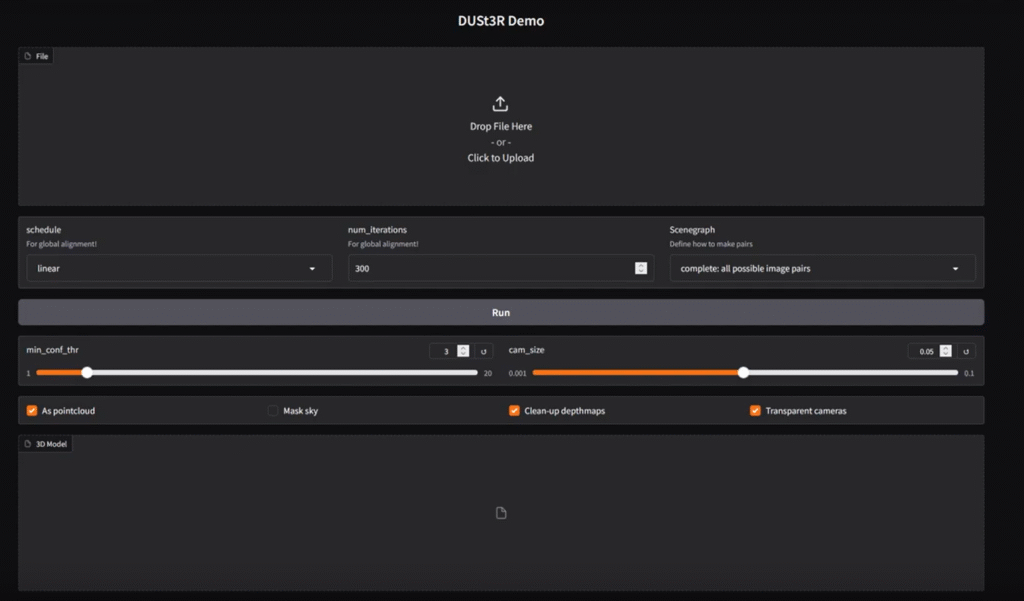
it takes few Minutes Once Done you can see the 3d Model
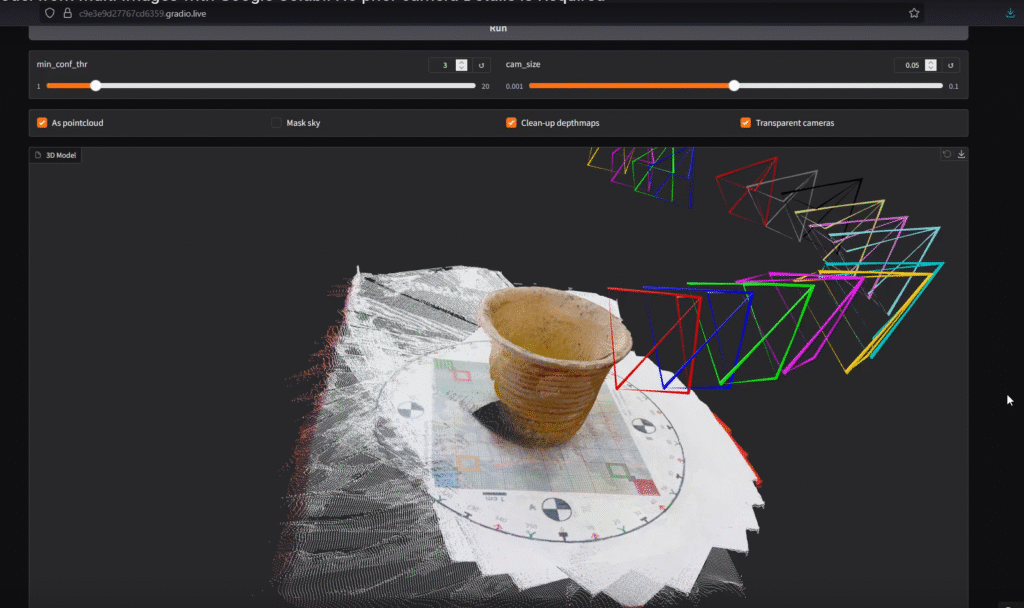
Step 3 — Download and View the Model
After running the code, download the .ply file from Colab and open it in MeshLab or Blender to see your 3D model.
Producing a 3D Model
- Collect images from different angles of the object or scene.
- Upload them to Google Colab.
- Run DUSt3R as shown above.
- Open the resulting
.plyin MeshLab or Blender to explore your 3D model.
References
- The official Dust3r GitHub repository: GitHub
- The research paper: Dust3r: Paper on arXiv